Inspections that don't end up in a drawer.
Run an inspection from a template, or build the list on the spot. Rate each item, photograph it and flag what failed, and Allie drafts the corrective work orders. Every item is compared with the last inspection, and the signed report goes out under your logo.
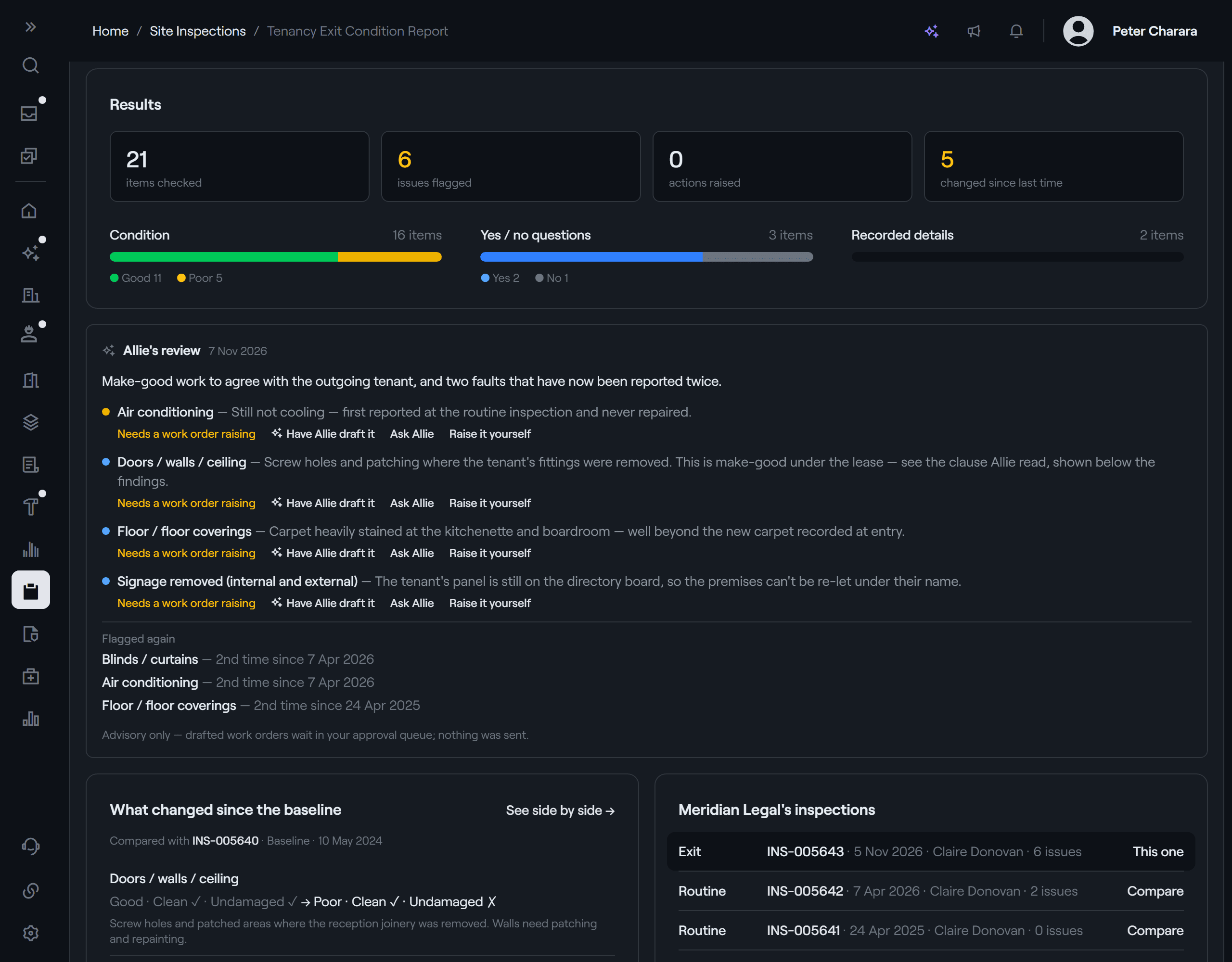
Failed items don't wait for someone to notice.
- Reads completed inspections, flags failed items and drafts the corrective work orders
- Describes inspection photos for the inspector to accept or edit. Condition ratings stay with them
- Turns an emailed instruction into a draft inspection for your team to perform
- Reads the checklist your team already uses into a template, for you to check and save
Every failed item, drafted as a work order.
Rate an item, photograph it and flag it for action. Allie describes the photo for the inspector to accept or edit, and the rating stays with the inspector. Raise the work order on the spot, or leave it: when the inspection is completed, Allie reads it, picks out what failed and drafts the corrective work orders with the photos attached. Nothing goes to a contractor until you approve it.
- Flag any item for action
- Photos described, ratings left to the inspector
- Work orders drafted when it's completed
- Nothing sent until you approve
YouRate the item, photograph it and flag it for action.
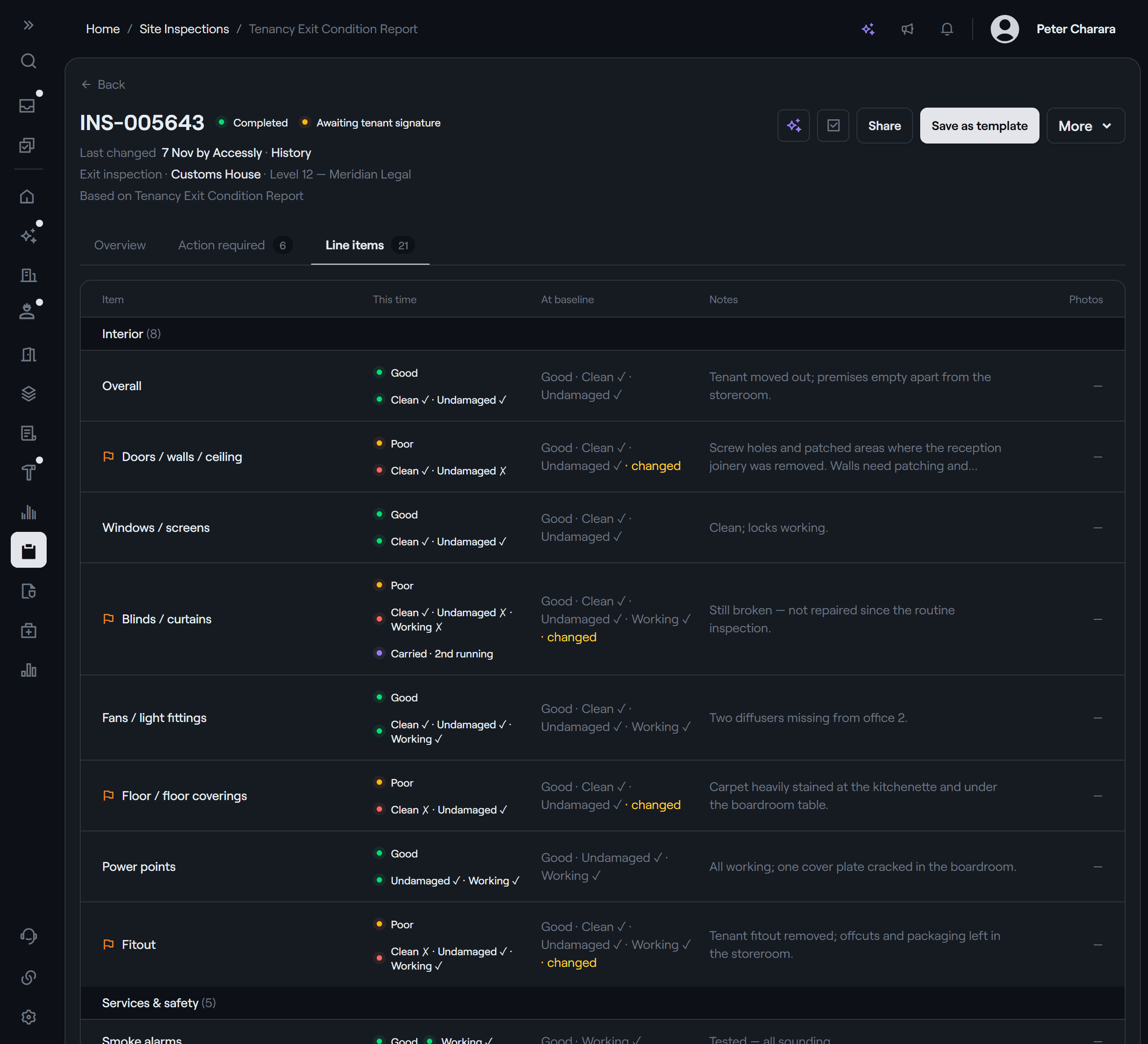
See what's changed since last time, item by item.
Every inspection is lined up against the one before it, or against the tenancy's entry report. Each item shows this time beside the baseline, and anything that has moved is marked as changed. Findings still open from the last inspection are carried over and counted, so a fault that keeps coming back can't hide. A tenancy's entry, routine and exit reports read as one record.
- This time beside last time, or the baseline
- Changes marked on each item
- Open findings carried over and counted
- Entry, routine & exit reports for a tenancy
Bring your own checklist. Allie builds the template.
Start from the ready-made templates, from a daily building opening walk to a tenancy exit report, and customise any of them. Or upload the checklist your team already uses as a PDF, Word, Excel or CSV file. Allie reads every question in its order, chooses how each one is answered and checks your library for a template that already asks the same. You check it and save.
- Ready-made site & tenancy templates
- Customise one, or build your own
- Your checklist read from PDF, Word, Excel or CSV
- Ratings, yes/no, pass/fail & data entry
AllieReads every question in the file, in its order.
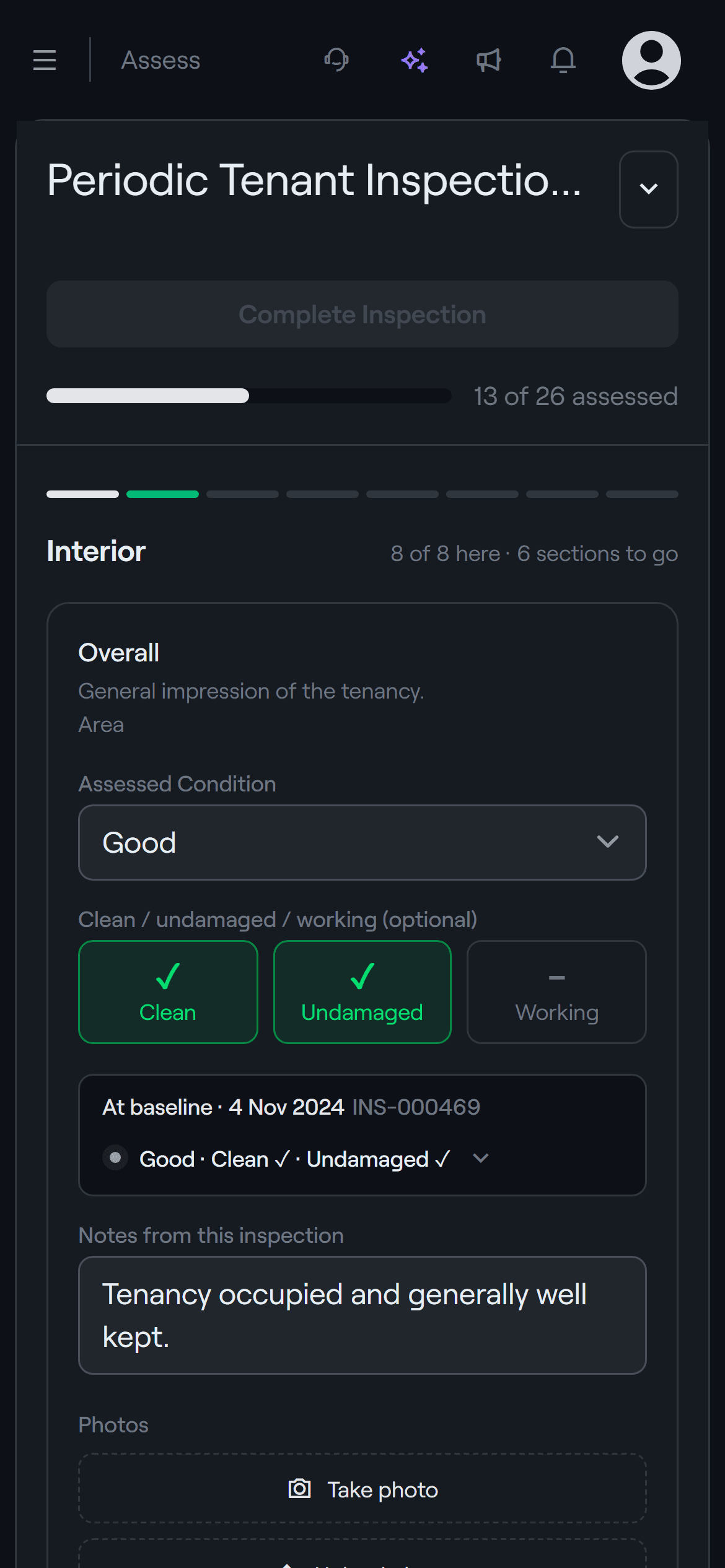
Walk it once. Nothing to write up afterwards.
Run a template against a property, its areas or its assets, or build the list yourself from the asset register. Work through it a section at a time: rate each item, add notes and photos, and see what was recorded last time with it. Answers save as you go. Without signal they're kept on the device and sent when it's back.
- A template, or your own list of assets & areas
- Ratings, notes & photos on every item
- Last time's result with each item
- Keeps working without signal

The whole room, not one corner of it.
Inspect with an Insta360 X3 or newer and take 360° photos from inside the Accessly app, right on the item you're inspecting. Anyone who opens the inspection, or the report you share, can look all the way around the room, not just at the corner someone pointed a phone at. There's nothing to set up and nothing extra to pay: it comes with inspections.
- Insta360 X3 and newer
- Taken from inside the app, on the item
- Look around in the inspection & report
- No setup, no extra cost

Signed on site. Shared under your logo.
Sign-off is the last question of the inspection. On an entry or exit report the tenant signs too, on the inspector's device or from an emailed link, and the report shows it's waiting until they do. Every completed inspection becomes a report under your logo, as a page and a PDF, with the items that need action up front and each signature recorded. Share it by read-only link, email or PDF.
- Sign-off built into the inspection
- Tenant signs on site or by emailed link
- Your logo, as a page & a PDF
- Read-only link that expires after 30 days
YouSign it off as the last question of the inspection.
Inspect, evidence and act — in one flow.
Make inspections effortless.
See how Accessly turns inspections into an audit-ready, defect-to-done process across your entire portfolio.