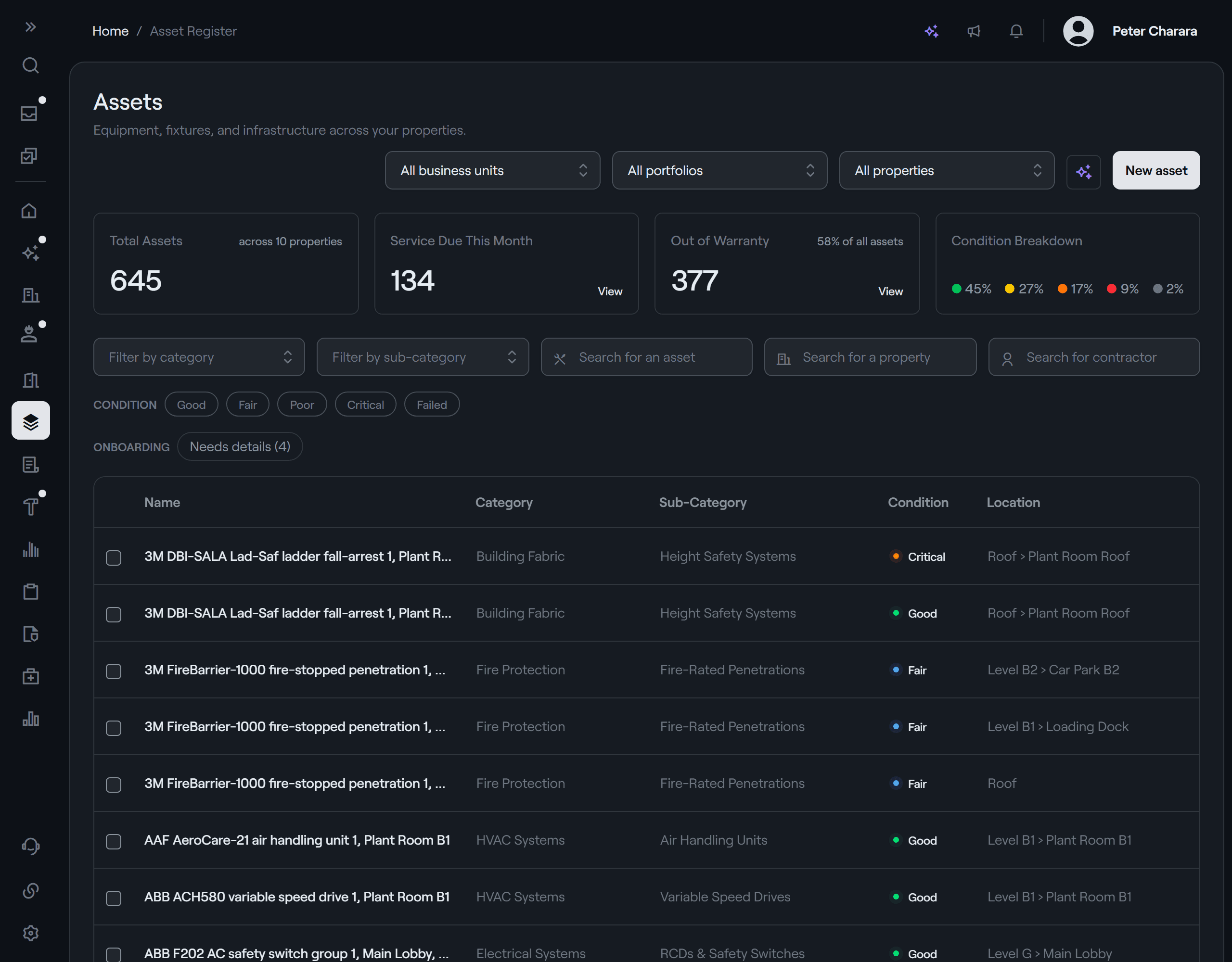
Know what you own, what it needs and what it costs.
Accessly provides a single, real-time register of every asset across all properties — integrated with maintenance and compliance workflows. No more scattered spreadsheets or outdated records.
Repair or replace? Allie brings the evidence.
- Tells you when an asset keeps failing, needs the same part again or costs more than the year before
- Weighs what an asset has cost to repair against what it would cost to replace
- Reads every contractor invoice into labour, materials and call-out, against the asset it serviced
- Reads the make, model and serial number off a photo of the nameplate
Your assets are worth more than spreadsheets.
Most teams track assets in spreadsheets or software that doesn't speak to their other systems, leading to outdated data, double handling data entry and human error.
Add an asset from a photo. It's wired in from day one.
Photograph the nameplate and Allie reads the make, model and serial number off it, for you to check and use. File the asset in its category and publish it, and AccesslyOS works out the contracts and compliance that cover it, so its maintenance is scheduled from the start.
- Make, model & serial read from the plate
- Yours to check before it's used
- Filed by category, which sets its compliance
- Contract & maintenance worked out
AllieReads the make, model and serial number off the plate.
Know when an asset keeps failing, and what it's costing.
Allie reads each contractor invoice into its lines and keeps them against the asset the job was for. When a unit keeps failing, needs the same part twice or costs more than the year before, Allie tells you, with the jobs and invoices behind it. What happens next is your call: propose replacing it, get quotes or keep watching.
- Every invoice read into its lines
- The same part on two invoices, spotted
- Repairs weighed against replacing it
- Replace, get quotes or keep watching
AllieReads each contractor invoice into its lines.
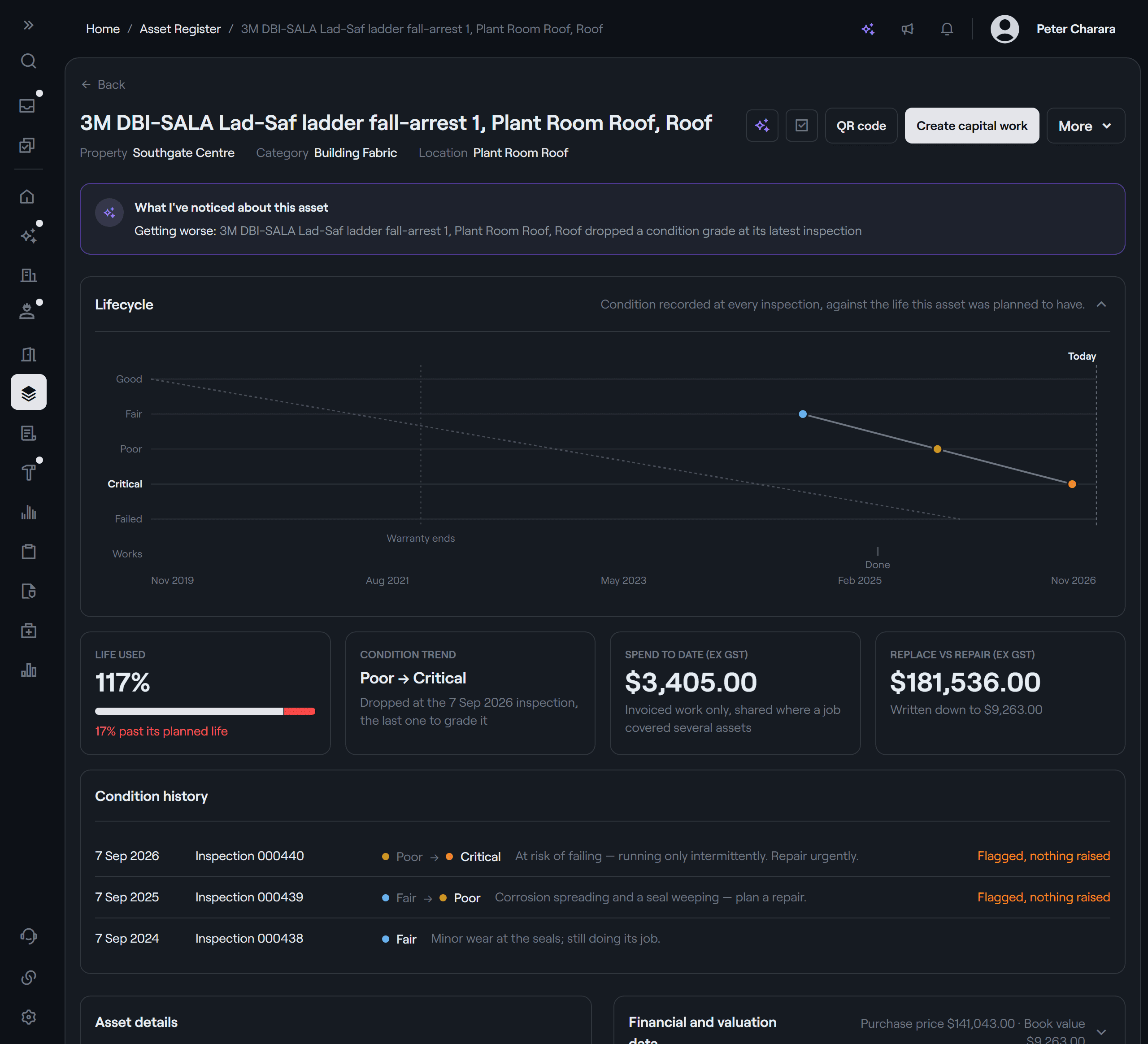
Condition tracked at every inspection, against the life you planned.
Each asset's page plots the condition recorded at every inspection against the life it was planned to have, with the end of its warranty marked. Beside it: how much of that life is used, the latest change in condition, what's been spent on it and what it would cost to replace. An inspection that flagged a problem with no work raised says so.
- Condition recorded at every inspection
- Life used against its planned life
- The end of its warranty, marked
- Spend to date against the cost to replace
Replacements planned from real data.
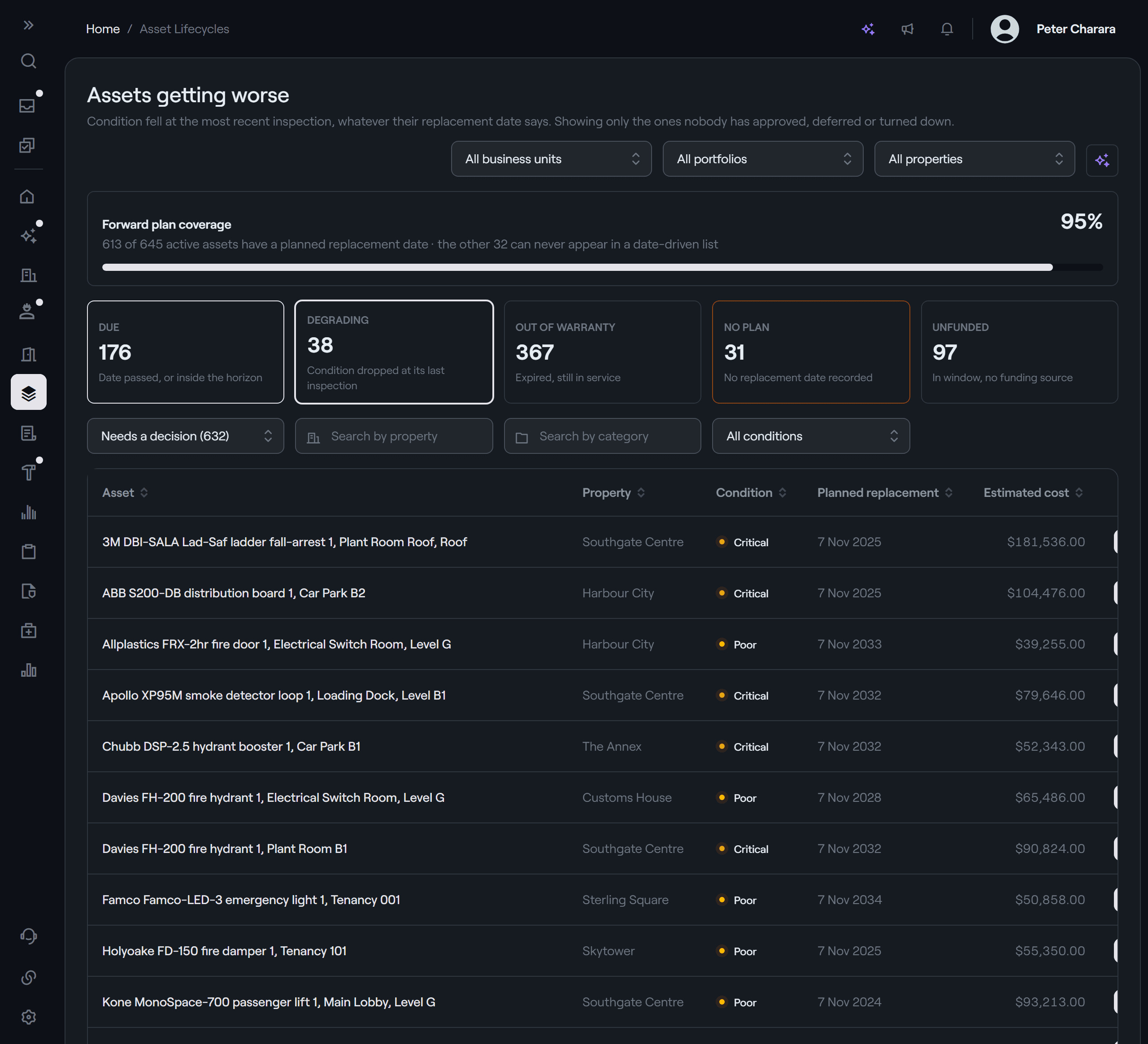
Every asset carries a planned replacement date and an estimated cost. AccesslyOS lists the ones that are due, the ones whose condition dropped at their last inspection and the ones out of warranty, and flags any with no plan or no funding source. Raise the capital work straight from the list, and it feeds your capital plan.
- Planned replacement date & cost per asset
- Due, degrading and out of warranty
- No plan or no funding source, flagged
- Capital work raised from the list
A register that speaks to the rest of your operation.
From the register to the capital plan.
Plan the replacements: See Capital Projects →
Stop managing assets in spreadsheets.
See how Accessly gives you a single source of truth across every asset in your portfolio.