Every incident, investigated and closed.
The full WHS incident lifecycle: report, classify, investigate, act and close, with a five-point severity scale, root-cause analysis, corrective and preventive actions, and a complete audit trail. Allie reads each report the moment it's submitted, so the investigation starts with somewhere to look.
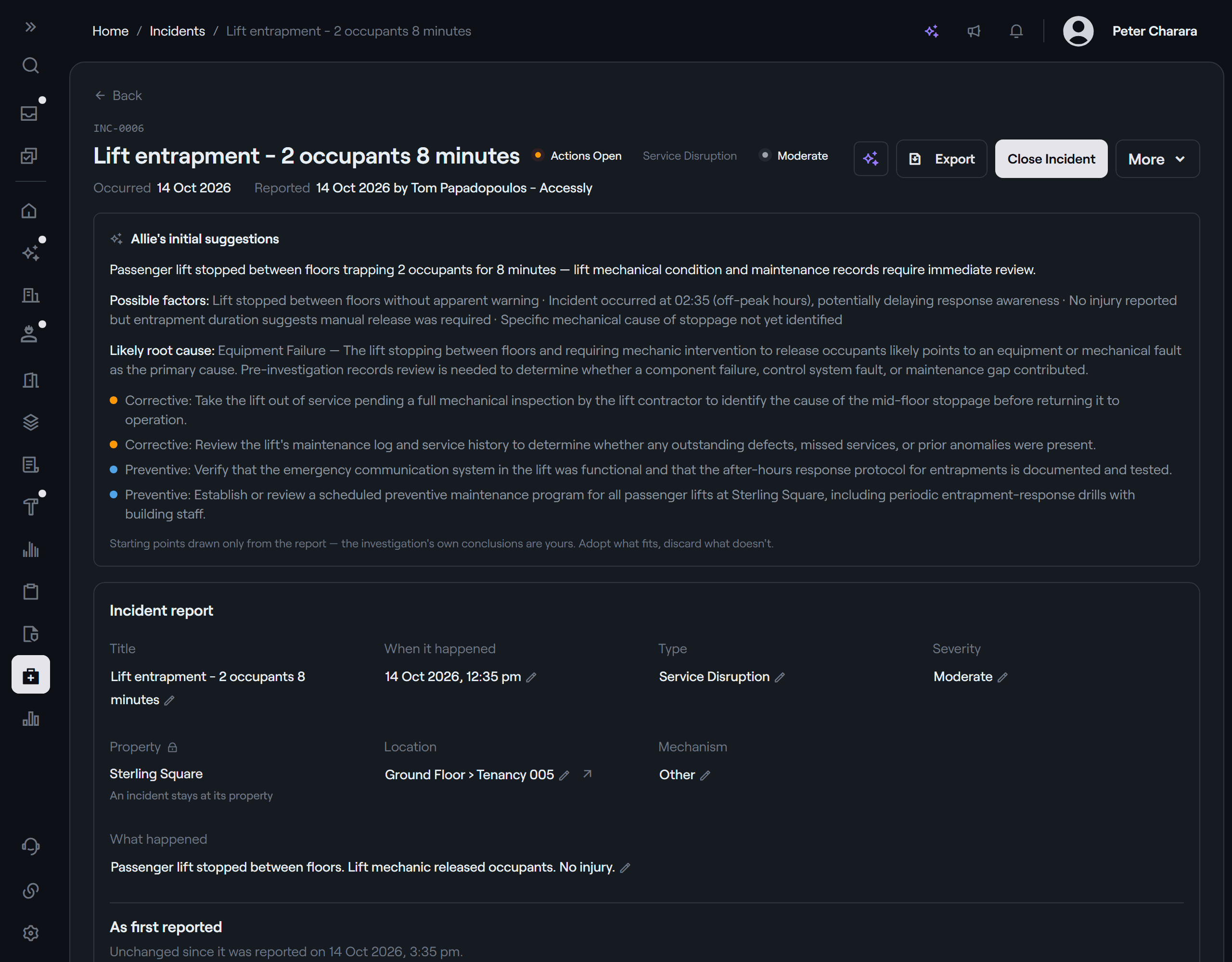
Every incident triaged before anyone asks.
- Reads each incident the moment it's reported and suggests the possible factors, the likely root cause and actions to consider
- Sends the property's managers a heads-up, with a link straight to the incident
- Emails building managers when a safety report has nothing raised two business hours later
- Logs an incident, adds an action or ticks one off when you ask. Nothing about a person's injury is decided by Allie
A head start on every investigation.
Report an incident in four steps: what happened, who was involved, how it's classified and who saw it. The moment the report is submitted, Allie reads it and sets out where the investigation could start: the possible factors, the likely root cause, and corrective and preventive actions to consider. Allie's suggestions sit in their own panel on the incident. The findings are the investigator's to write.
- Possible factors, picked out of the report
- The likely root cause, suggested
- Corrective and preventive actions to consider
- The conclusions stay with the investigator
AllieReads the report and picks out the possible factors.
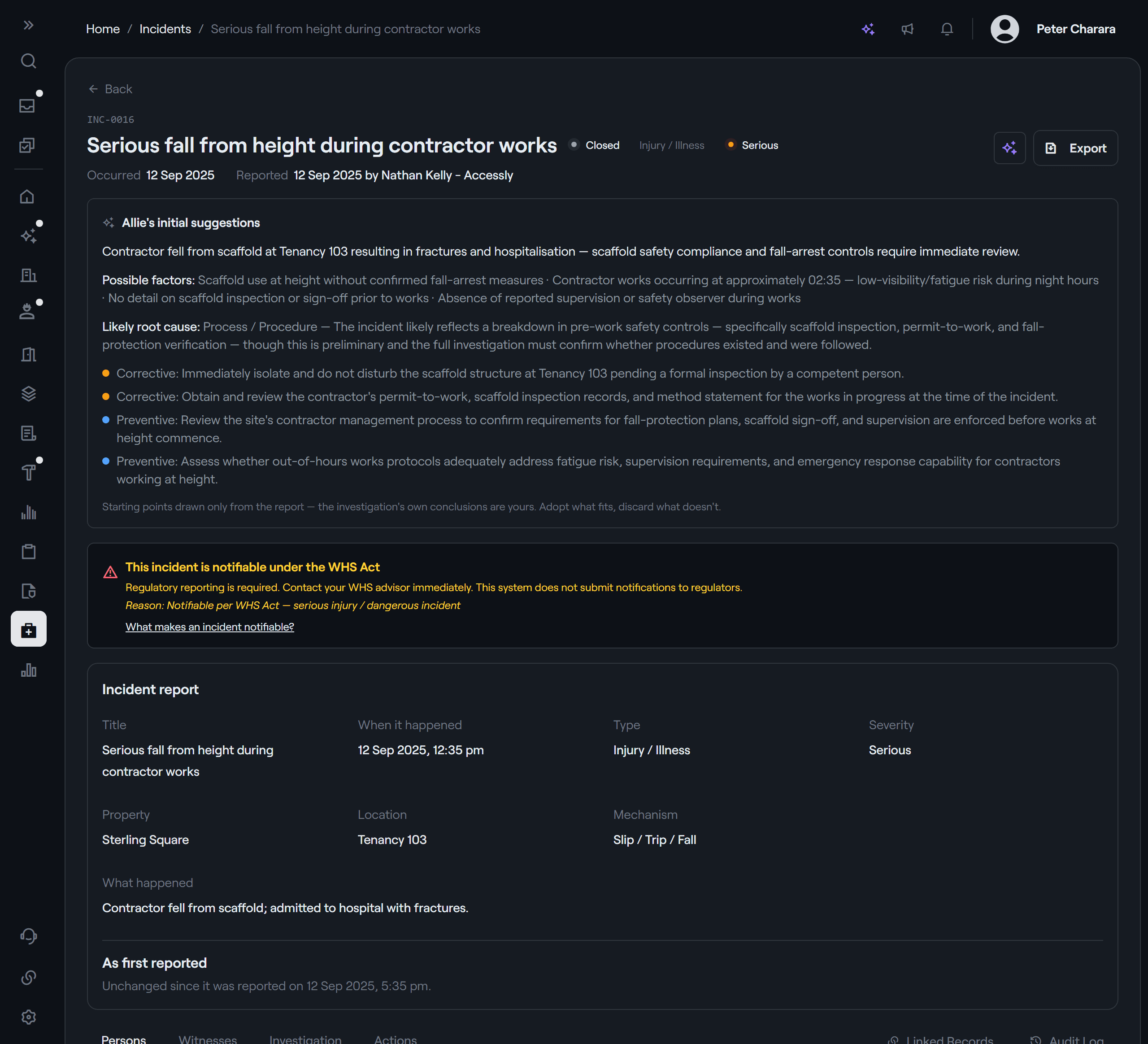
Notifiable incidents, flagged from the first report.
Whoever reports an incident says whether it's notifiable under the WHS Act, and why. From then on the incident carries a warning to contact your WHS advisor, with its notification status beside it, and the register can show only the notifiable incidents still open. The investigation still runs to its root cause and a sign-off that locks it.
- Flagged notifiable when it's reported
- The reason under the WHS Act, recorded
- Not notified, notified or not required
- Root cause and sign-off still required
Closed only when the work is done.
Give each corrective or preventive action an owner and a due date. Raise a work order from an action and it's filled in for you, linked back, and the action moves to In Progress. Overdue actions show on the register and the safety dashboard. An incident can only close once the investigation is signed off and every action is completed or has a reason recorded, with every step kept on its audit log.
- Owners, contractors & due dates
- Work orders raised from the action
- Overdue actions flagged
- No close without sign-off
AccesslyOSLinks an action to its work order and moves it on.
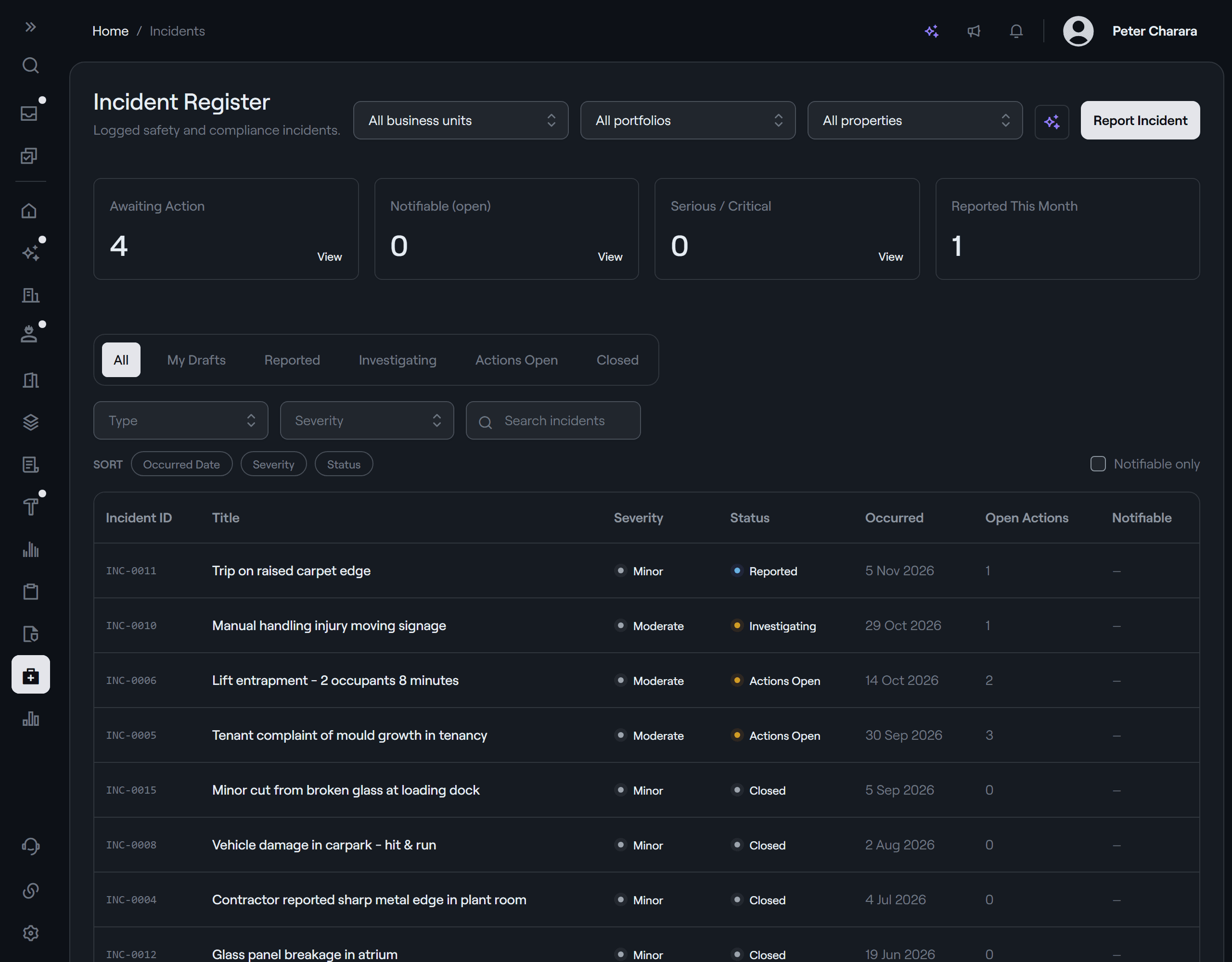
Every open incident, and what it's waiting on.
One register for every property. The tiles count what's awaiting action, the notifiable incidents still open, the serious and critical ones, and what was reported this month. Filter by status, type or severity, and see how many actions each incident still has open.
- Awaiting action, at a glance
- Notifiable & serious incidents counted
- Filter by status, type & severity
- Open actions on every row
A disciplined path from report to close.
Turn incidents into action.
See how Accessly captures, investigates and closes incidents with a full audit trail across your portfolio.